Yes. Say "Alexa, play rain sounds" or "Alexa, play white noise" and she'll start a looped sound within a couple of seconds, no skill installation needed for the basics. That part genuinely works. The catch is everything that happens after you fall asleep, which is where most of the complaints about Alexa and sleep sound actually come from.
I make sleep music for a living, one track and loop at a time, so I've spent a fair amount of time testing what smart speakers do well and what they quietly get wrong. Alexa is a convenient on-ramp. It is not built, at the engineering level, to manage a full night of sound the way a dedicated sleep app is.
What Alexa Actually Plays When You Ask for Sleep Sounds
When you ask for rain, ocean, or white noise, Alexa is usually pulling from a short looped audio file, often somewhere between 30 seconds and a few minutes long, repeated until you tell it to stop or the timer runs out. For built-in requests like "play white noise" or "play rain sounds," this comes from Amazon's own library rather than a third-party skill, so quality and loop length aren't things you can adjust.
The loop itself is the issue. A 45-second rain loop, played for six hours, repeats roughly 480 times. Your conscious mind won't notice, but a short, tightly-looped sample tends to have an audible seam: a click, a slight volume dip, a moment where the pattern resets. Brains are extremely good at detecting repetition even during sleep, which is part of why some people find looped white noise more irritating than soothing after the first hour.
How to Actually Set It Up (Commands and Routines)
If you're using Alexa for this tonight, a few commands make it noticeably better than the basic request:
- "Alexa, play rain sounds for 8 hours" — sets both the sound and a stop time in one command.
- "Alexa, set a sleep timer for 45 minutes" — stops playback separately if you only want sound while falling asleep, not all night.
- Building a Routine in the Alexa app that triggers a sound at a set time, rather than relying on a voice command each night, removes the friction of having to ask every time.
- Lowering the device volume to around 30-40% before bed, since Alexa's default volume is tuned for daytime listening, not a dark room at 2am.
These are genuine improvements, but they're workarounds for a device that was designed for weather updates and shopping lists, then had sleep sounds bolted on.
Where Alexa Actually Falls Short
Three things come up constantly when people describe their Alexa sleep setup failing them.
First, the single-sound limitation. You get rain, or ocean, or white noise — rarely a blend of two or three at levels you control. Real soothing backgrounds are usually layered: a low rain bed under a thinner stream sound, or brown noise under something with a bit of texture so it doesn't feel like static. Alexa doesn't give you independent volume control over multiple sound layers running at once.
Second, the abrupt stop. Many people report the sound cutting out mid-loop when the timer ends, sometimes jarringly, which can wake a light sleeper exactly when you didn't want it to. A gradual fade is a small detail that matters more than it sounds.
Third, and this is the one nobody mentions: Alexa needs an active internet connection for most streamed sound requests, and the same room noise that makes a smart speaker useful — a partner's breathing, a radiator ticking, traffic outside — can also trigger Alexa through accidental wake-word detection, which occasionally interrupts playback with a chime or a misheard response.
The Mixing Problem
This is the part worth understanding properly, because it's the actual gap between a smart speaker and purpose-built sleep audio. Good sleep sound isn't one noise, it's a small arrangement. A low rain layer handles the broadband masking — it covers sudden noises like a door or a car. A thinner layer, like a stream or soft wind, gives the ear something with gentle movement so the brain doesn't fixate on total silence punctuated by one flat tone. Sometimes a very low drone sits underneath both, more felt than heard, around 50-60 Hz, giving the whole thing weight without being audible as a "note."
Getting that balance right means controlling each layer independently, not just picking one preset and hoping.
That's the clip worth watching if you've only ever used a single-sound speaker command: three nature layers, each with its own slider, being nudged in real time until the balance sits right for a particular room. It's a small thing to see, but it explains in ten seconds why a fixed loop from a smart speaker feels thinner by comparison. Our own library leans on this heavily — the mixer lets you build a rain-and-stream combination, or layer a soft drone under a gentle piano piece, and save it rather than re-requesting it each night.
Guided Sessions: Where Voice and Music Usually Fight Each Other
If you've tried asking Alexa for a sleep meditation rather than just ambient sound, you'll have noticed the music usually stops, or the whole thing is one pre-mixed file with the voice baked in at a fixed level over fixed music. If the narration is louder than you'd like, or the music too prominent, there's no fix — you either listen to it as recorded or turn it off.
That video shows a guided session running with the voice, music, and background nature sound as three separate layers, each with its own level and its own play button, so you can bring the voice down and let the music carry more of the weight, or mute the voice entirely once you're drowsy and keep the music running. Most apps, and every smart speaker skill I've tested, treat the voice and music as one fixed recording. Here they're independent, which matters more than it sounds once you've tried falling asleep to a narrator who's 20% too loud for your room.
What a Dedicated Sleep App Adds That Alexa Can't
Beyond mixing, there are a few structural differences worth naming plainly, not as a sales pitch but because they solve the actual complaints people have about smart speaker sleep sound.
- A sleep timer with a fade-out, so the sound tapers rather than cuts.
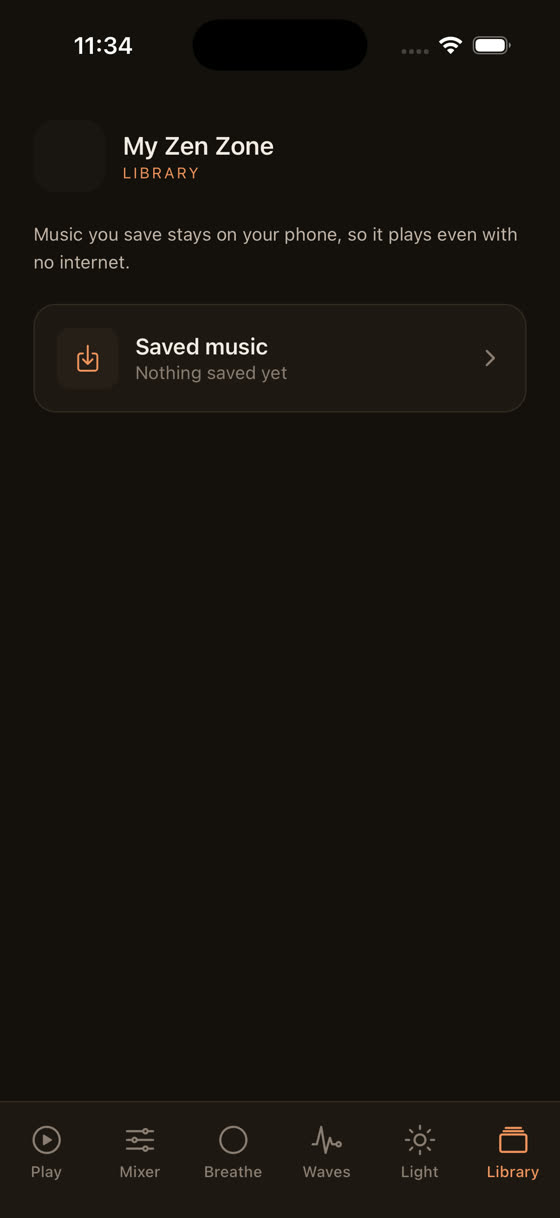
- Offline downloads, so there's no dependence on a wifi connection or a cloud stream dropping mid-night.
- A library that isn't one looped file but full-length original recordings, with new ones added every two weeks, so the same six rain tracks don't become the only six rain tracks you own.
- A sleep-specific music library built at slower tempos, generally 50-65 bpm, closer to a resting heart rate, rather than ambient tracks repurposed from a general streaming catalogue.
There's also a wind-down screen worth a look if your actual problem is the twenty minutes before you even try to sleep, not the hours after — something to dim the room and the mind before sound becomes the main event.
What To Actually Do Tonight
If you've got an Echo in the bedroom already, use it. "Alexa, play rain sounds for 8 hours" with the volume turned down is a perfectly reasonable starting point and better than nothing. But if you've noticed yourself getting annoyed by a loop, or waking at the abrupt cutoff, or wishing you could hear more rain and less hiss, that's not a you problem, it's a hardware-and-catalogue problem. A phone with a proper mixer sitting on the nightstand, sound downloaded in advance, timer set with a fade, solves all three in one go. You can see the whole setup at myzenzone.app or just grab it directly at /get and try the mixer against whatever you're using tonight.
And if sleep sound is only half the problem — if you're also trying to concentrate during the day with the same kind of background noise — the same layering logic applies there too, covered in more detail in our piece on music for focus and study.
Common questions
Does Alexa sleep sound use my internet data all night?
Yes, most built-in requests like rain or white noise are streamed, not stored locally, so they use your wifi continuously for as long as they play. If your connection drops, the sound can cut out entirely rather than fading, which is one reason downloaded audio is more reliable for an 8-hour stretch.
Can I combine two sounds on Alexa, like rain and white noise together?
Not through a single voice command — Alexa plays one requested sound at a time. Some third-party skills attempt blended tracks, but you can't independently control the volume of each layer. That kind of mixing needs an app built around a multi-track sound mixer rather than a single audio stream.
Why does the Alexa sleep sound suddenly stop and wake me up?
Timers on Alexa typically end the audio abruptly rather than fading it out, and that sharp cutoff in a quiet room can be enough to rouse a light sleeper. A gradual fade over a minute or two is a small detail most smart speaker skills don't include.
Is brown noise or white noise better for sleep on Alexa?
Brown noise has more low-frequency weight and less high-frequency hiss than white noise, which many people find less fatiguing over hours. Neither has strong clinical backing either way — it's genuinely down to personal preference, so it's worth trying both with "Alexa, play brown noise" and comparing.
Can I use Alexa and a sleep app together?
Yes, though running two audio sources at once usually just causes them to compete. It works better to pick one for the night — Alexa for a quick, simple loop, or a dedicated app when you want layered sound, offline downloads and a fading timer — rather than trying to blend both simultaneously.