The short answer
You cancel a white noise app subscription through whichever store actually took your money, not through the app itself. If you subscribed on an iPhone, that's Settings, not the app. If you subscribed through Google Play, it's the Play Store, not the app. If you signed up on a website with a card, you cancel on that website or by emailing the company directly. The app can show you a "manage subscription" button, but the actual switch lives with Apple, Google, or the biller, because that's who is charging your card every month.
This trips people up because most white noise and sleep apps, ours included, are built around one recurring purchase that unlocks everything: the full sound library, the mixer, offline downloads. There's no separate "billing department" inside the app to argue with. There's just a subscription record sitting with a platform, and once you cancel it there, it stops. No phone call, no retention agent, no chat bot trying to talk you out of it.
Why this feels harder than it should be
Some subscription apps design their cancellation flow to be genuinely confusing: multiple screens, a "pause instead?" offer, a discount that appears only when you try to leave. This is a known pattern across the industry, not specific to sleep and relaxation apps, and it's worth naming because it makes people assume they've done something wrong when actually the flow was built to slow them down. If you're three taps deep and still haven't found a cancel button, that's the app, not you.
The fix is to skip the app's own menus entirely and go straight to the store. It's faster and there's no ambiguity about whether the cancellation actually went through, because you'll see the subscription's status change in the store itself rather than trusting a confirmation screen inside the app.
Cancelling on iPhone or iPad
Open Settings, tap your name at the top, then tap Subscriptions. You'll see every active subscription tied to your Apple ID, not just the one app you're thinking about. Find the white noise or sleep app in the list, tap it, and tap Cancel Subscription. If you don't see a cancel option, the subscription may already be set to expire, or it may be a family-shared subscription managed by someone else's Apple ID.
One detail people miss: cancelling doesn't refund the current period and doesn't cut off access immediately. You keep whatever you paid for until the renewal date, then it simply doesn't renew. If you cancel the day after billing, you've effectively paid for a full month you'll still get to use.
Cancelling on Android
Open the Google Play Store app, tap your profile icon top right, go to Payments & subscriptions, then Subscriptions. Every app taking a recurring payment through Google Play shows up here regardless of which app you actually launch to use the service. Tap the white noise app, tap Cancel subscription, and confirm. Same rule applies as iOS: you keep access until the period you already paid for runs out.
If you subscribed through a browser rather than the Play Store, Google Play won't show it at all, because Google never took the payment. That's the case below.
Cancelling a browser or web subscription
Plenty of apps, including ours, let you subscribe once and use the same account across iPhone, Android, and a browser at myzenzone.app. If you signed up through the website with a card rather than through an app store, the cancellation lives on the website: usually under Account or Billing, with a plainly labelled cancel option, because web billing has none of the App Store's forced multi-step flow. If you can't find it, look for the receipt email from your first payment. It will name the actual biller, and most billers put a self-serve cancellation link right in that email.
If none of that works, email support and ask them to cancel and confirm in writing. A legitimate app will do this within a day or two and won't ask you to justify the decision.
What actually happens to your account after you cancel
Your account itself usually doesn't disappear. What disappears is access to whatever was gated behind the subscription: the full track library, offline downloads, the mixer, guided sessions. Free tracks, if the app has any, typically stay available. Downloaded files sometimes remain playable offline until the app next checks in with the server, sometimes not, so if you're mid-cancellation and relying on downloaded tracks for tonight, don't assume they'll last past a day or two.
Worth checking before you go: does the app let you export or note down which tracks you liked, in case you resubscribe later during one of the fortnightly additions to the library? It's a small thing but it saves re-hunting for a track you slept well to six months ago.
Before you cancel, know what you'd be giving up
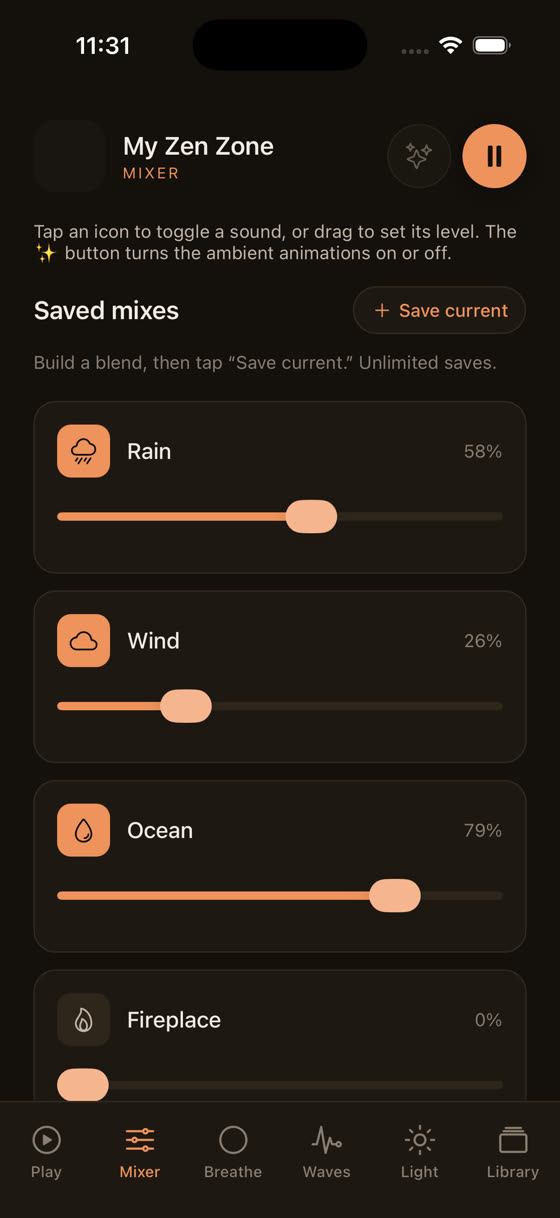
This isn't a pitch to stay, it's a genuine checklist, because "white noise app" undersells what most of these libraries now do. A flat rain-sound loop is one thing. A mixer where you set rain at 40%, a low fan hum at 20%, and a single soft drone at 15%, all independently, is a different tool entirely, closer to building your own room tone than pressing play on a track.
If what you actually wanted was better sleep sound, not necessarily to leave the category altogether, it's worth comparing what a layered mixer does against a single looping track before you cancel outright. We've written more on the actual mechanics of sound and sleep in this piece on the best music for sleep, including why a fixed 60-70 bpm tempo tends to sit better with a resting heart rate than random ambient noise.
If you're cancelling because it wasn't working, not because of price
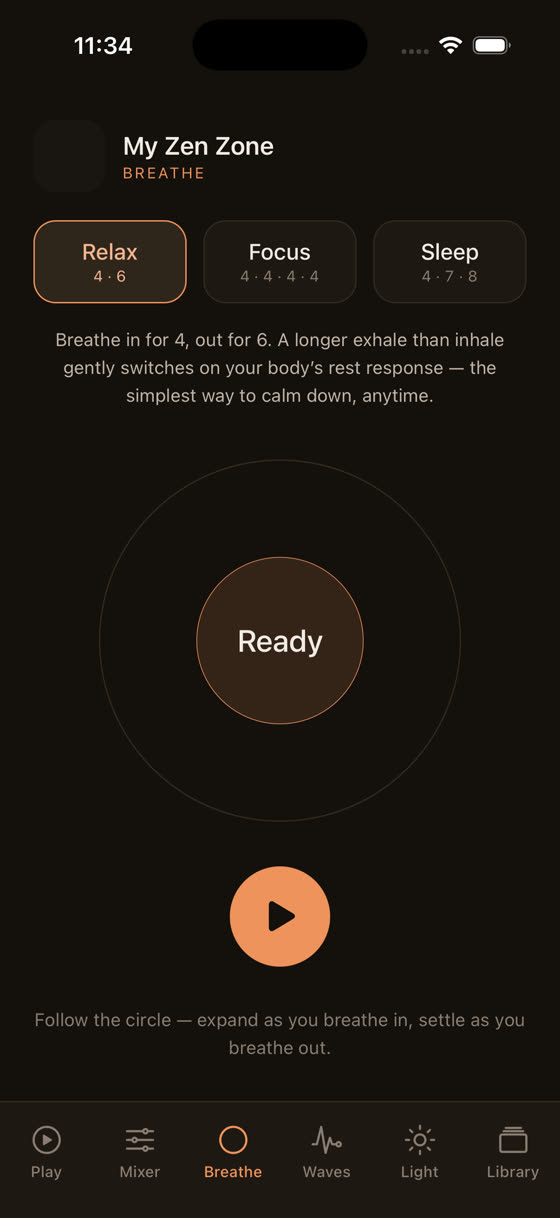
Sometimes the real problem isn't the subscription cost, it's that plain white noise stopped doing the job. If your mind is still racing rather than just noise-sensitive, a flat hiss won't touch that; you need something that gives your attention somewhere to go, which is closer to meditation or breath-paced audio than masking sound. A 4-6 breathing pattern, four seconds in, six seconds out, paced visually rather than left to guesswork, does a different job than white noise entirely.
Guided sessions have the same issue as tempo: most apps stop the music dead the moment a voice starts talking, which jolts you awake right when you were finally drifting. Ours plays the voice as its own layer over the music rather than instead of it, so you can turn the voice down to almost nothing in the last few minutes and just keep the music running.
If the issue was daytime focus rather than sleep, the same logic applies in reverse: a study session and a wind-down session shouldn't use the same fixed track, and we've gone into that split in more detail in this post on music for focus and study.
What to actually do tonight
If you've decided to cancel, do it now rather than "before the next billing date", because it's easy to forget and get charged for a month you didn't mean to buy. Go to Settings on iPhone or the Play Store on Android, find the subscription, tap cancel, and you're done in under a minute. If you subscribed through a browser, do the same on the website itself rather than hunting through the app.
If you're switching rather than quitting the category altogether, most sleep and relaxation apps, including ours, offer a free tier or trial so you can compare the mixer and library against whatever you're leaving before committing another card payment.
Common questions
Will I get a refund if I cancel partway through the month?
Usually not automatically. Both the App Store and Google Play let you keep access until the end of the period you already paid for, then simply stop renewing, rather than refunding the unused days. If you were charged in error or within a very short window, you can request a refund directly through Apple or Google support.
Why can't I find a cancel button inside the app itself?
Because the app doesn't control the billing, the app store or biller does. Many apps link out to Settings or the Play Store from an in-app "manage subscription" button rather than handling cancellation internally, since Apple and Google require billing changes to go through their own systems, not third-party menus.
I cancelled but I'm still being charged. What happened?
Check whether you actually have two separate subscriptions, one through an app store and one through a website, which happens if you signed up twice on different devices. Also confirm the cancellation completed rather than just being viewed; the store should show the subscription status as "expires" not "active".
Does cancelling delete my saved tracks and settings?
Usually not immediately. Your account and history typically stay intact so you can resubscribe later without starting over, but downloaded files and premium-only tracks stop working once the paid period ends. Free tracks, if the app offers any, generally remain accessible.
Is it worth pausing instead of cancelling outright?
If the app offers a genuine pause option rather than a discount trying to keep you subscribed, it can make sense for a known gap, like travel. But most subscriptions don't offer true pausing, only cancel-and-resubscribe, so check whether "pause" actually means "cancel with extra steps" before relying on it.