The short answer
If you want a free alternative to Calm, look for an app that lets you control the mix of sounds yourself rather than handing you a fixed playlist, offers a genuine sleep timer and offline downloads, and adds new music often enough that you don't hear the same twelve tracks every week for a year. My Zen Zone does all three, and you can try the core library at /get before deciding whether the full catalogue is worth a subscription. But the more useful answer is about what to look for, because most "free Calm alternative" lists just swap one fixed playlist for another.
Why "free alternative to Calm" is the wrong question
Calm's problem for a lot of people was never the price. It was the experience once you were in: a library that felt static, sessions that stopped the music the moment a voice started talking, and a search that pushed you toward the same handful of flagship tracks. Swapping it for another app with the same structure, just free, solves the wrong problem.
The real question is whether an app treats sound as something you can shape, or something you press play on and endure. Music for sleep needs almost no dynamic range and a tempo around 55-65 bpm, close to a resting heart rate. Music for focus can sit a little higher, 70-90 bpm, with less melodic movement so your attention doesn't keep snagging on it. Music for calm during the day, a ten-minute reset between meetings, wants something in between. A single playlist can't do all three well. An app built around fixed tracks, however large the library, is still handing you someone else's balance of instruments and hoping it fits your evening.
The one feature most apps skip: a real mixer
This is the part that changes how useful an app actually is at 11pm. Rain alone can feel thin. A drone alone can feel cold. Layered together, with the rain a little louder than the tone and a distant thunder rumble even lower, the whole thing reads as one calm room rather than three separate sound effects fighting for attention.
Most apps give you one slider, if that. My Zen Zone's mixer gives each sound its own level, so you build the exact room you want rather than accepting whatever balance a producer chose for a stock demo. Watch that recording and you'll see the difference immediately: nudging the rain down and the tone up changes the entire mood of the track in seconds, no restart, no new file to find.
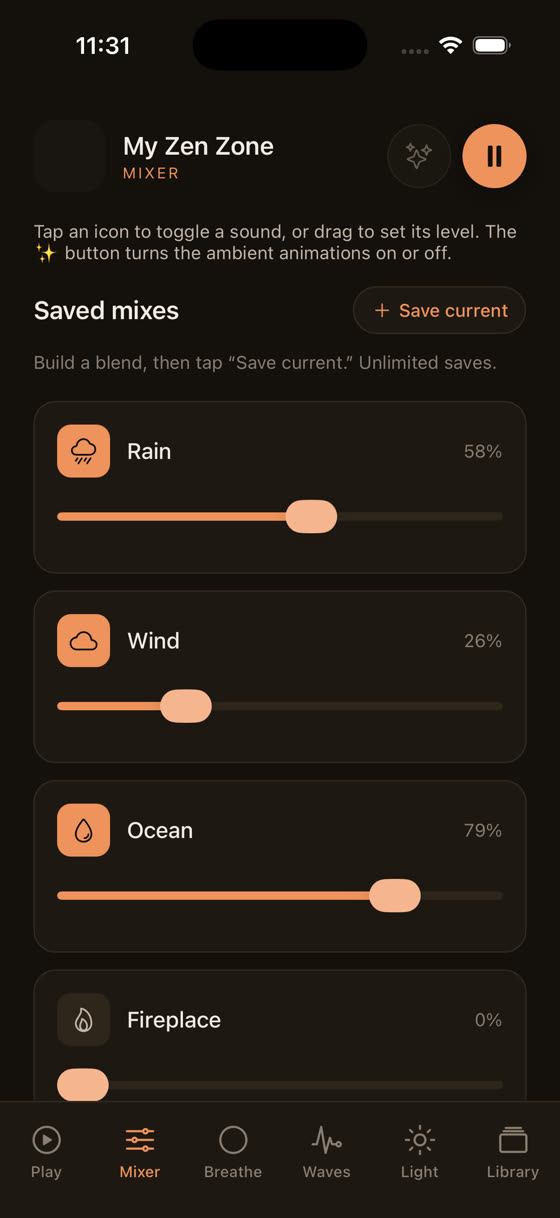
Three nature layers, three sliders, one result that's actually yours. That's a small thing to describe and a large thing to live with every night.
Sleep, focus and meditation aren't the same job
A genuinely useful alternative separates its library by what the music is for, not just by mood words like "calm" or "peaceful," which mean almost nothing on their own. On the home screen each category is its own space: sleep, focus, meditation, calm, and a music section for when you just want something composed and quiet without a stated purpose.
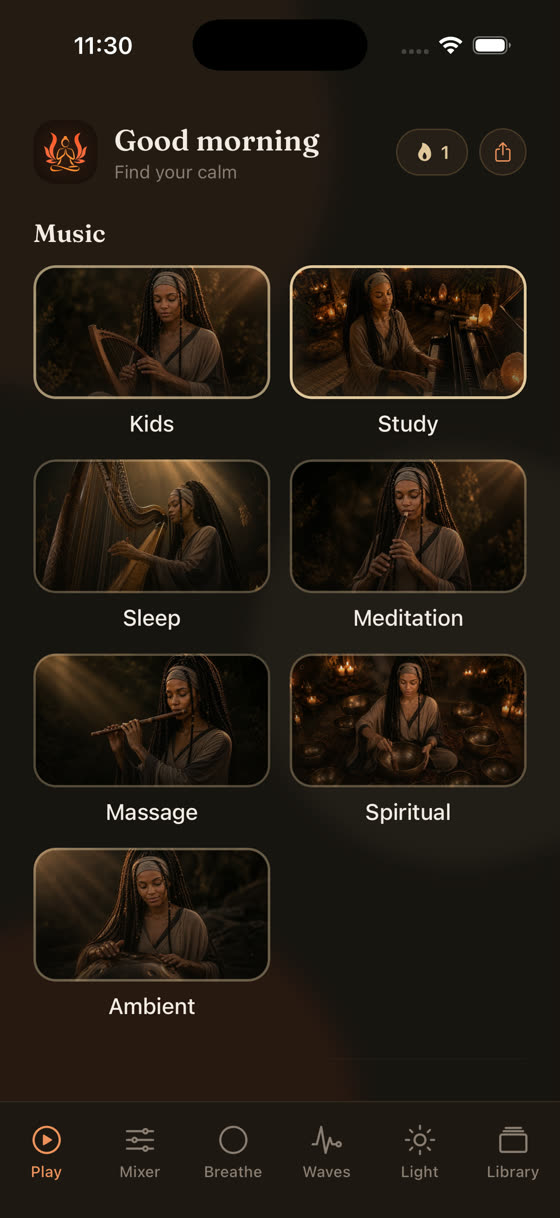
That separation matters because the mistake most people make with relaxation apps is using sleep music to focus, or vice versa. Sleep tracks are built to fade attention, with long tones and almost no rhythmic anchor. Play that while trying to write a report and your mind drifts along with it. Focus tracks are built the opposite way, with just enough steady pulse to give your attention something to hold onto without becoming distracting. If you want the mechanism explained properly, our pieces on music for sleep and music for focus and study go into the tempo and structure differences in more detail than fits here.
Guided meditation without stopping the music
Here's a specific annoyance worth naming: most meditation apps, Calm included, stop the ambient music the instant a guided voice starts, then bring it back when the voice finishes. It's jarring, and it breaks the exact state the session is trying to build.
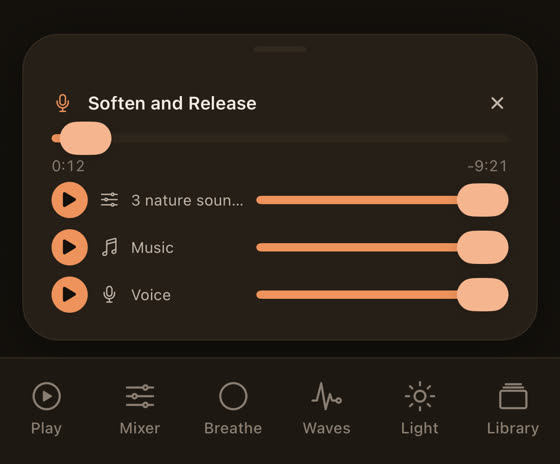
A better structure treats the voice as one layer among several, not a replacement for the music. In My Zen Zone's guided sessions, the voice, the music bed and any nature sound each have their own level and their own play control, so you can bring the narration down under the music instead of losing the music entirely. Some people want the voice loud and the music barely there. Others want the reverse, using the guidance almost as punctuation over a track they'd happily listen to on its own.
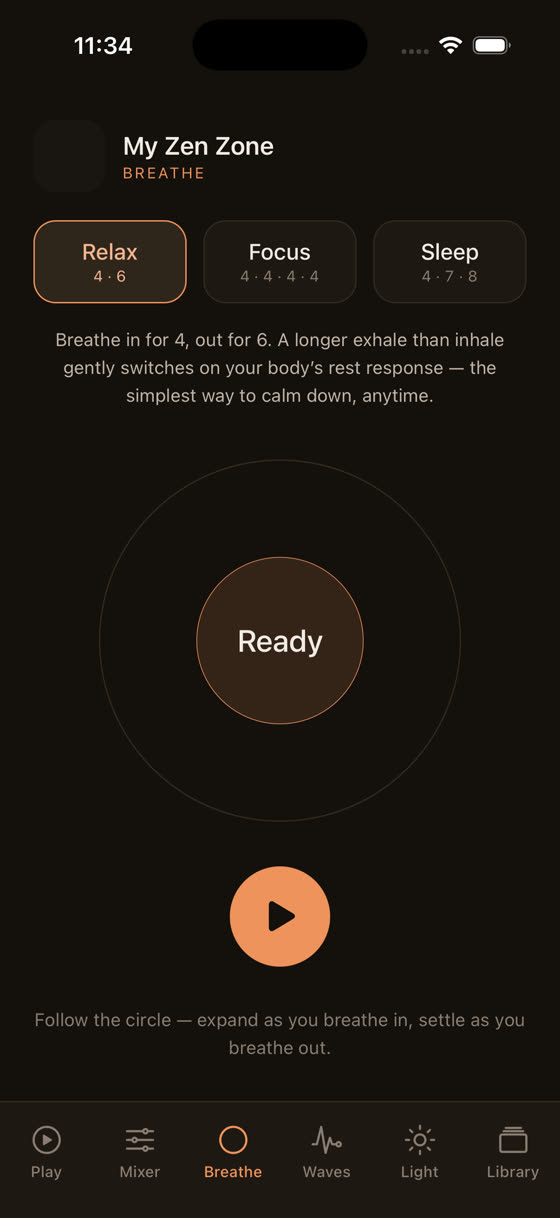
There's also a breathing screen with a 4-6 pattern, four counts in, six counts out, which is a simple, low-effort way to bring your breathing rate down before a session even starts.
Brainwave tones and the light screen: worth trying, worth being honest about
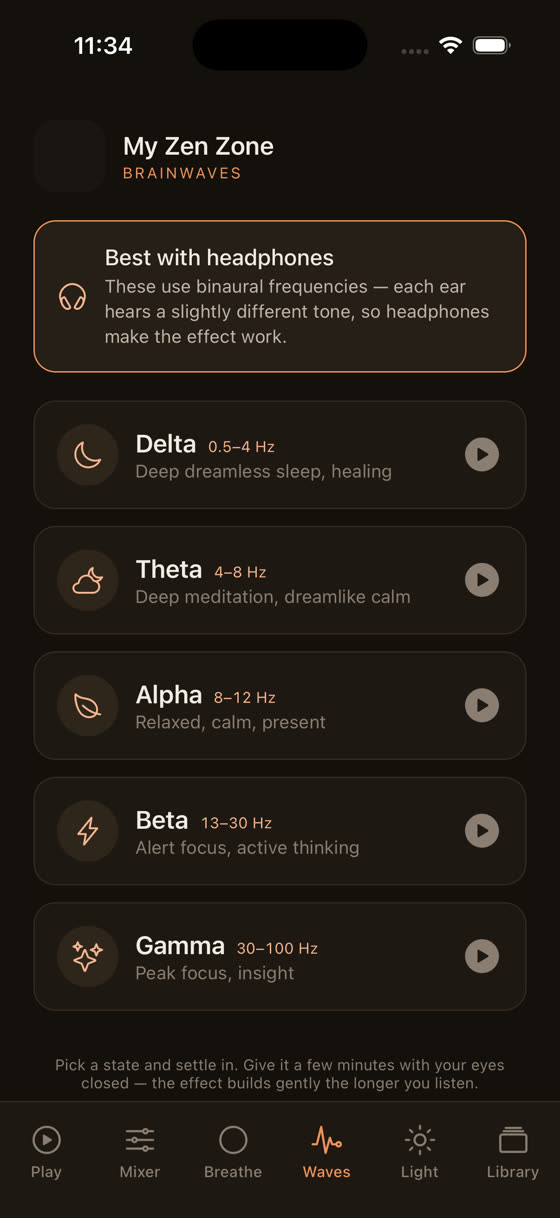
Brainwave entrainment, tones set slightly apart in each ear to produce a perceived beat, gets talked about as if it's a settled science. It isn't. The evidence is thin and mixed, and no honest app should claim it will sharpen your focus or guarantee deeper sleep. What can be said plainly is that some people find the tones pleasant and steadying as background, in the same way a fan or white noise machine is steadying, and that's a reasonable enough reason to include them.
The light screen is a smaller, more straightforward tool: a dim, slow-shifting visual for the last few minutes before you put the phone down, paired with whatever sleep track you've chosen. It's not a gimmick so much as a cue, something to look at that isn't a bright app icon grid.
What's actually free, and what a subscription buys you
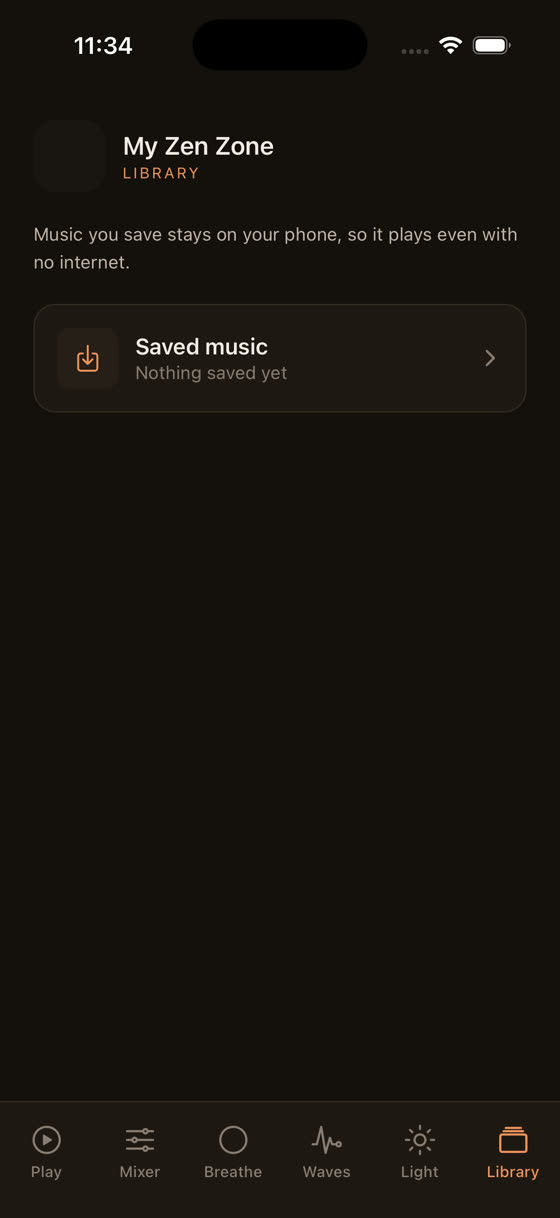
It's worth being straightforward here rather than vague. My Zen Zone is free to download on iPhone and Android, and a meaningful part of the library, including sleep, focus and calm tracks, is available without paying anything. A subscription unlocks the full catalogue, which runs to hundreds of tracks and grows every two weeks because one musician composes and records everything in-house rather than licensing stock music, plus offline downloads and access to the whole library from a browser at myzenzone.app if you'd rather listen at a desk than on a phone.
That's a different model to Calm's, which bundles meditation courses, sleep stories and music together at one price regardless of which of those you actually use. If you only want music, and you want to control how it's mixed rather than accept someone else's balance, that's a narrower and arguably more honest thing to pay for, or not pay for, depending on how deep you go.
How to test it tonight
Don't overthink the decision. Open the sleep category, pick one track, and instead of pressing play and leaving it, spend thirty seconds in the mixer adjusting the nature layers underneath it. Notice whether lowering the rain and raising a low tone changes how quickly your shoulders drop. Set a sleep timer for twenty minutes rather than letting it play all night. Tomorrow, try the focus category during a task that normally has you reaching for headphones out of habit rather than need, and pay attention to whether the track still feels present after ten minutes or whether it's faded into the background, which is usually the sign it's doing its job.
Common questions
Is My Zen Zone actually free or is that misleading?
A real portion of the library, across sleep, focus and calm, is free to use without paying. A subscription adds the full catalogue of hundreds of tracks, offline downloads, and browser access. It's not a stripped-down trial designed to expire, but it also isn't the entire library.
Do I need brainwave tones for them to work?
There's no solid evidence that brainwave tones reliably affect focus or sleep, so treat them as optional background texture rather than a tool with guaranteed effects. Some people find the steady tone pleasant in the same way white noise is pleasant. Worth trying, not worth relying on.
Why does the guided meditation music keep playing under the voice instead of stopping?
Most apps cut the music when a guided voice starts, which can break the calm state you're trying to build. Here the voice, music and nature sound are separate layers you balance yourself, so the music continues underneath at whatever level you set rather than disappearing entirely.
What's the difference between the sleep and calm categories?
Sleep tracks are built to fade attention almost completely, with very little rhythmic movement, meant for lying down with a timer running. Calm tracks keep a touch more presence, meant for a ten-minute reset during the day when you still need to get up afterwards and function.
Can I use this from a laptop, or is it phone-only?
A subscription opens the full library in a browser at myzenzone.app, so you're not limited to your phone. The free tier and the app itself work on iPhone and Android, with offline downloads available once you subscribe for listening without a signal.