The best rain sounds app on iOS is the one that lets you build your own rain, not just press play on someone else's. A single 40-minute loop of rain, however well recorded, becomes a repeating pattern your brain starts to notice within a few nights. What actually works is layering: light rain under a low drone, or rain plus distant thunder plus a thin ribbon of piano, each at a level you set yourself. That's the difference worth paying attention to before you download anything.
Why rain works in the first place
Rain is close to pink noise, which has more energy in the lower frequencies than white noise and sounds fuller, less hissy, easier on the ear over hours. It's also unpredictable in a narrow, bounded way: no two seconds of real rain are identical, but the overall texture stays constant. That combination — steady but never quite repeating — is what makes it good at masking a slamming door, a partner's cough, traffic outside. Your brain stops flagging sudden sounds as worth waking up for because the rain is already filling that acoustic space.
This isn't a guarantee of better sleep and we won't pretend otherwise; the research on background sound and sleep quality is genuinely thin, mostly small studies with mixed results. What's better established is the masking effect itself: consistent background noise reduces how disruptive sudden noises are. If your problem is a noisy street or a snoring housemate rather than a racing mind, that's the mechanism doing the work, not anything mystical about rain specifically.
What most rain apps get wrong
Most rain apps ship one recording, maybe three or four variations, and call it a library. You get "rain on a tent," "rain on leaves," "thunderstorm," and that's the whole offering. The problem is that real rain, the kind that actually sends people to sleep, is rarely just rain. It's rain with a gutter dripping somewhere, or rain over the hum of a building, or rain thinning out as a storm passes. A single clean loop misses that.
The other thing single-loop apps get wrong is volume balance. Rain that's loud enough to mask a busy street is too loud for a quiet flat, and rain that's pleasant in a quiet flat won't cover anything on a noisy one. A fixed track can't solve that. You need a mixer, not a play button.
The mixer: rain plus whatever you actually need
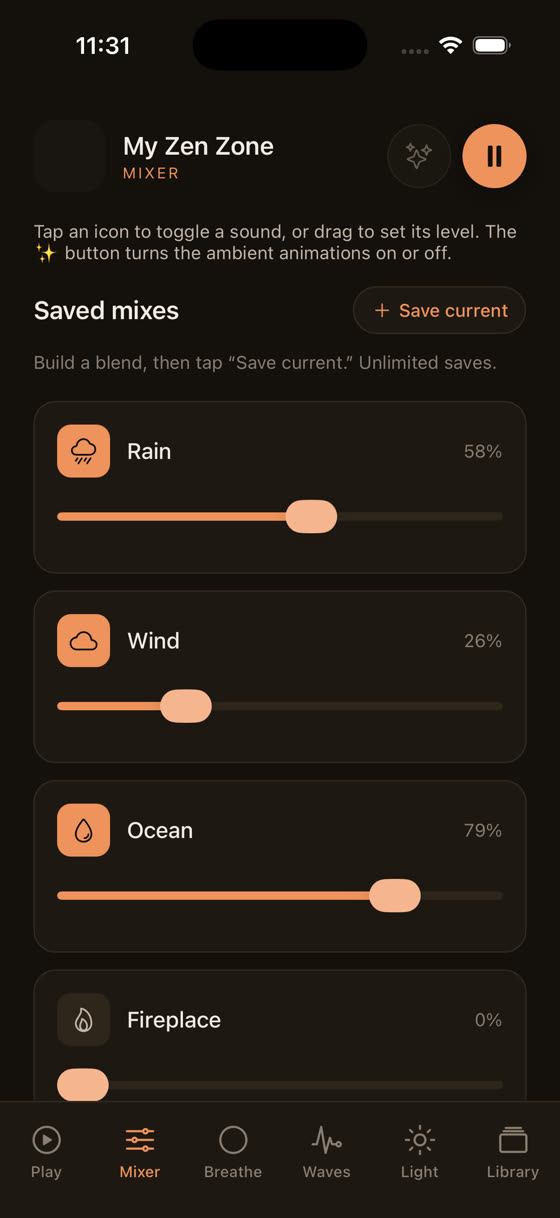
This is the part we built the app around. Instead of one rain track, you get a mixer where rain sits alongside dozens of other layers — thunder, wind, a stream, low piano, a soft drone — and you set each one's level independently. Rain at 70%, distant thunder at 20%, a slow piano underneath at 15%. That combination sounds nothing like a stock rain loop and, more importantly, it's yours: tuned to your room, your ears, your particular night.
Watch how three sounds move independently in that mixer and you'll see why a fixed loop can't compete. You're not choosing between "rain" and "forest" — you're deciding how much of each you want, live, and saving that mix for the next time you need it. If you've read our piece on what actually makes music good for sleep, this is the same logic applied to nature sound rather than melody: control beats a fixed product.
Not all rain is the same rain
Light rain on leaves, a steady rhythm with almost no variation, sits well under focused work — it's present enough to mask an office or a coffee shop but doesn't ask for attention. A heavier downpour with the occasional low thunder roll works better at night, when you want something with enough weight to cover a partner's movement or a radiator ticking. Coastal rain, the kind mixed with wave sound, tends to suit people who find pure rain a bit flat and want a second texture moving underneath it.
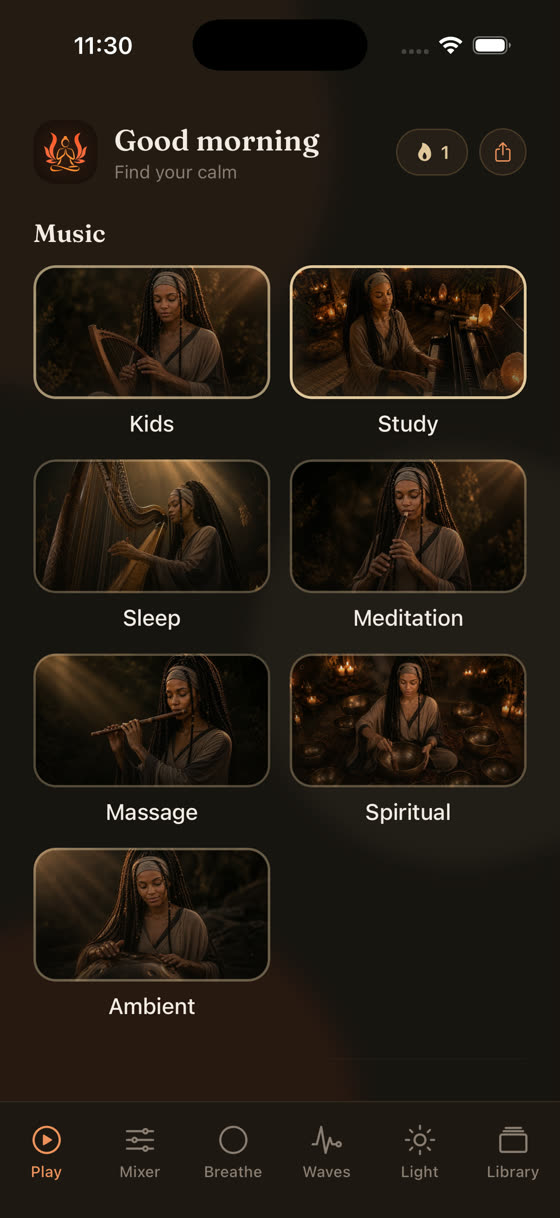
Because the library is organised by what you're trying to do rather than just by sound type, rain sits inside both the Sleep and Focus worlds with different companion sounds suggested in each. That's a small thing but it saves you scrolling through fifty tracks at midnight trying to remember which one worked last time.
Using rain for focus, not just sleep
Rain gets marketed almost entirely as a sleep aid, which undersells it. A steady rain loop at low volume is one of the more reliable ways to mask an open-plan office or a noisy household during deep work, precisely because it has no melody to distract you and no sudden peaks to pull your attention. Pair it with a slow instrumental layer at 60 to 70 bpm, roughly resting heart rate, and you get something closer to a study environment than a sleep one. We've written more on the tempo side of this in our piece on music for focus and study, but the short version is: keep rain as the base layer and add melody sparingly, or not at all, if the task needs real concentration.
The sleep timer and offline downloads: the boring features that matter most
None of the mixing matters if the app can't get out of your way at the right moment. A sleep timer that fades rather than cuts off abruptly is worth more, in practice, than another twenty rain variations. Set it for 45 or 60 minutes and the mix tapers down instead of stopping dead and startling you awake, which some cheaper apps still do.
Offline downloads matter for a different reason: aeroplane mode, patchy hotel wifi, a phone left in low-power mode overnight. Rain sound streamed over a flaky connection stutters exactly when you don't want it to. Download the mix you use most and it plays the same whether you're at home or three time zones away.
Rain plus a guided session, without losing the rain
Most guided meditation and sleep apps pause your background sound the moment a voice starts, then resume it awkwardly when the voice stops. That's a jarring way to fall asleep. Ours doesn't do that: a guided session plays as its own layer, with the voice, music and nature sound each on a separate level you can adjust while it's running.
That recording shows a session running with rain still audible underneath the narration, both controllable in real time rather than one silencing the other. If you've tried guided sleep content before and found the voice too dominant or the music too loud under it, this is the fix — you're not stuck with whatever balance the app's producer chose.
What to actually try tonight
Start simple. Pick one rain layer as your base, add a single second layer — thunder if you want weight, a thin drone if you want something almost subliminal — and set the sleep timer to fade over 45 minutes rather than run all night. Download the mix before bed if your connection is unreliable. If you're using it for work instead of sleep, drop the second layer to a low instrumental and skip anything with a beat.
The whole library, rain included, adds new recordings roughly every two weeks, all composed and recorded by the same person rather than licensed from a stock catalogue, so the rain and its companion sounds are built to sit together rather than bolted on afterward. You can hear the current library and start building your own mix at myzenzone.app, or go straight to the download if you already know what you're after.
Common questions
Is rain sound actually proven to help you sleep?
Not proven in any strong scientific sense — the research is limited and results are mixed. What's better supported is that steady background noise masks sudden disruptions, like traffic or a snoring partner, which is likely why many people find it useful even without a guaranteed effect on sleep quality itself.
What's better for sleep, rain or white noise?
Rain is closer to pink noise, which has more low-end energy than white noise and tends to sound fuller and less harsh over hours. Neither is objectively better; it comes down to what you find soothing versus grating. Many people prefer rain because it has natural variation white noise lacks.
Can I download rain sounds to use without wifi on iPhone?
Yes, in our app any mix you build, including rain layers, can be downloaded for offline use, so it plays reliably on a flight, in a hotel with weak wifi, or with your phone on low-power mode overnight without streaming interruptions.
Should I use rain sounds while working, not just sleeping?
Yes, light steady rain is effective for masking office or household noise during focused work, precisely because it has no melody or sudden peaks to distract you. Keep the volume low and pair it with minimal or no additional layers if the task needs sustained concentration.
Why does the guided meditation keep pausing my rain sound in other apps?
Most apps treat the voice and the background sound as one fixed file, so the sound stops or ducks abruptly when narration starts. Our sessions run the voice, music and nature sound as separate layers you control independently, so the rain keeps playing underneath at whatever level you set.