The best sleep app for iOS is one that lets you build the sound yourself instead of handing you someone else's finished playlist. That's the short answer. My Zen Zone does this with a per-sound mixer, guided sessions that play as a layer rather than a replacement, offline downloads so a dropped signal doesn't wake you, and a library that adds new tracks every two weeks so your ear never fully habituates to what it's hearing.
Why most "best sleep app" lists miss the point
Most roundups compare app store ratings, price, and whether there's a sleep timer. Fair enough, but none of that tells you whether the audio actually does what it claims. The mechanism matters. Slow, low-variance music with a tempo around 55-70 bpm, close to a resting heart rate, gives your nervous system something steady to entrain to. A shifting, dynamic pop track, even an acoustic one, keeps a small part of your attention alert because it's still asking you to notice changes. That's the opposite of what you want at midnight.
What gets skipped in most reviews is texture. A single instrument looping for forty minutes gets fatiguing to the ear well before it gets boring to the mind. That's a composing problem, not a listening one, and it's why the tracks in this library are built in layers from the start: a soft pad, a slow piano figure, sometimes a field recording of rain or a river, mixed so nothing sits louder than anything else. You can read more about the actual audio choices behind this in our piece on what makes music work for sleep.
The mixer, not the playlist
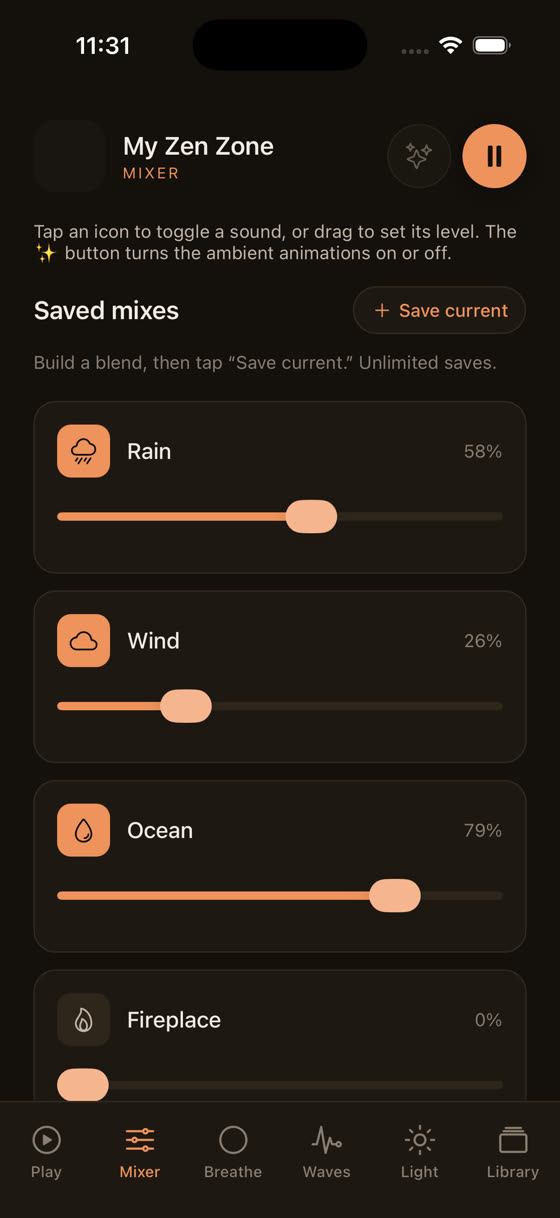
Here's the thing almost no competing app does: separate volume control for every sound in the room you're building. Rain at one level, a low drone underneath it, a single soft piano line barely audible on top. You set the balance, not us.
Watch that and you'll see why a fixed playlist is a compromise from the start. Two people rarely want the same mix. One wants rain dominant and everything else as a suggestion underneath it; another wants the tone to lead and the rain as texture. A single mixed-down track can only please one of you. The mixer means both get what they actually want, adjusted live, saved for next time.
Guided sessions that don't stop the music
If you've used a guided sleep session before, you know the usual pattern: the music fades out, a voice talks for ten minutes, then either silence or the music fades back in abruptly. It's a jolt exactly when you don't want one.
The sessions here work differently. Voice, music, and nature sound are three separate layers you can raise or lower independently, so the narration sits over the music instead of replacing it.
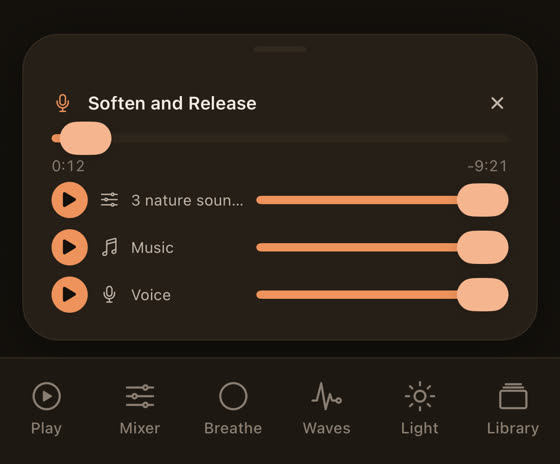
That layering also means a session doesn't have to be all-or-nothing. If a particular voice isn't for you tonight, you can pull it down to almost nothing and keep the music and nature sound running as your primary track. Most apps don't give you that option because the session was recorded and mixed as one file. Ours wasn't.
Brainwave tones: what's actually known
Binaural and isochronic tones show up in a lot of sleep and focus apps, ours included, so it's worth being straight about the evidence. The research on brainwave entrainment for sleep is thin and mixed; some small studies report a relaxed subjective state, others find no measurable effect on sleep architecture. We don't claim these tones will put you to sleep on their own. What we do offer is a dedicated tones screen you can layer under music at a low level, for anyone who wants to experiment and see what they notice.
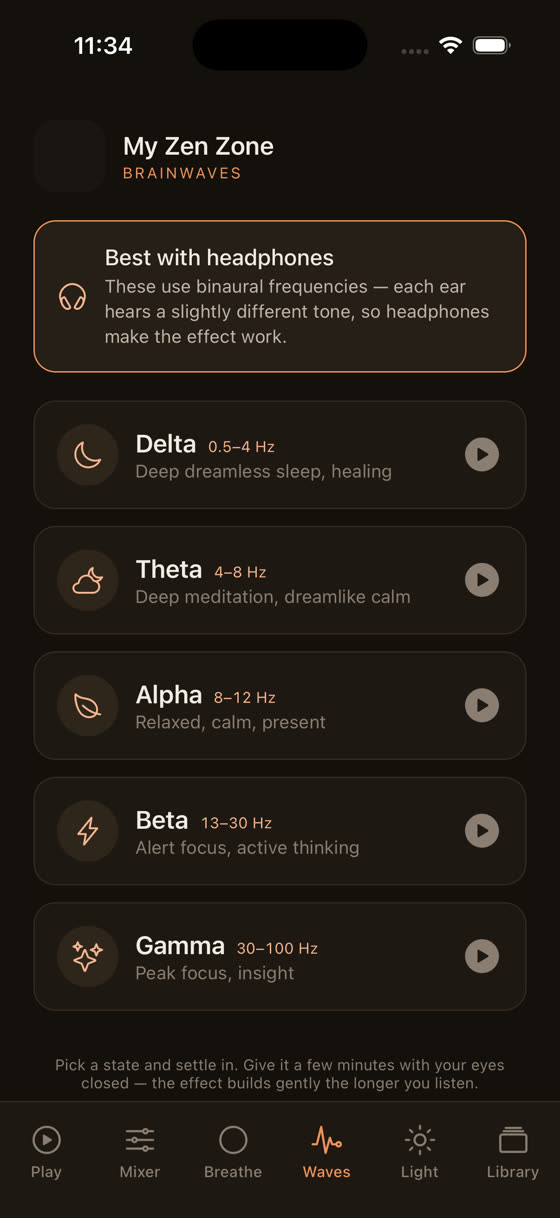
Treat it as one more sound in the mixer, not a guarantee. If it does nothing for you, turn it off and lean on the music itself, which is the part with the more direct, felt effect.
The light screen and the hour before bed
A sleep app that only starts working once you press play is only doing half the job. What happens in the thirty minutes before you open it usually matters more than the app itself. Bright screen light, especially blue-heavy light, suppresses melatonin release and keeps your brain reading the room as daytime. Most people know this and ignore it anyway, because turning the phone off entirely at 10:45pm rarely happens.
The light screen is built for that gap: a warm, dim, slow-shifting visual you can leave on while the music plays, instead of staring at a bright app interface or, worse, switching to your phone's regular apps out of habit.
It won't undo an evening of scrolling in bed, but it removes one more source of bright light right at the point you're trying to wind down, and it gives your eyes somewhere calm to rest instead of a lit rectangle.
Offline downloads and the sleep timer
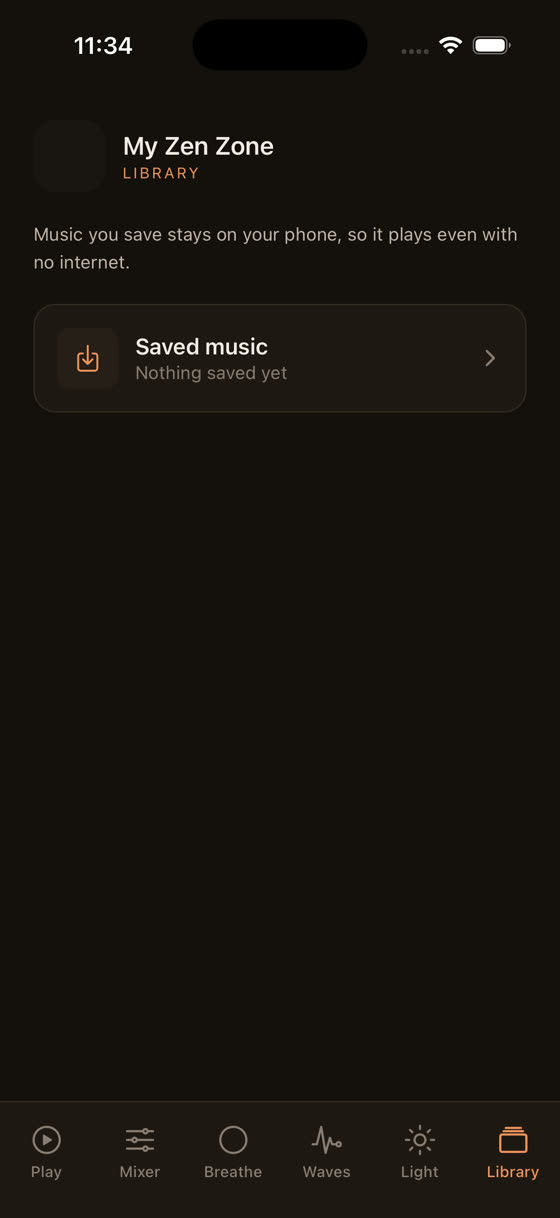
Two unglamorous features that matter more than people expect. First, offline downloads: if your connection drops or aeroplane mode kicks in, the track keeps playing instead of cutting to silence or, worse, an app store notification sound at 3am. Download the tracks you actually use before you need them, not after.
Second, the sleep timer, set with an actual end point rather than "stop when the album ends," which on a looping library could mean never. A timer set for 45 or 60 minutes, matched to how long it usually takes you to fall properly asleep, means the music does its job and then gets out of the way instead of running all night at low volume, which some people find disruptive to deeper sleep stages later on.
Why the library keeps growing
Every track here is written and recorded by one composer, which keeps the tone of the whole library consistent, but it also means the catalogue is deliberately large, running to hundreds of tracks, with new ones added every two weeks. That's not a marketing detail. A track you've heard eighty times stops working as well as one you've heard eight times, because part of what makes ambient sound effective is that your attention isn't pattern-matching it. Fresh material every fortnight means you're less likely to hit that wall of familiarity that makes old favourites feel like background noise you've stopped actually hearing.
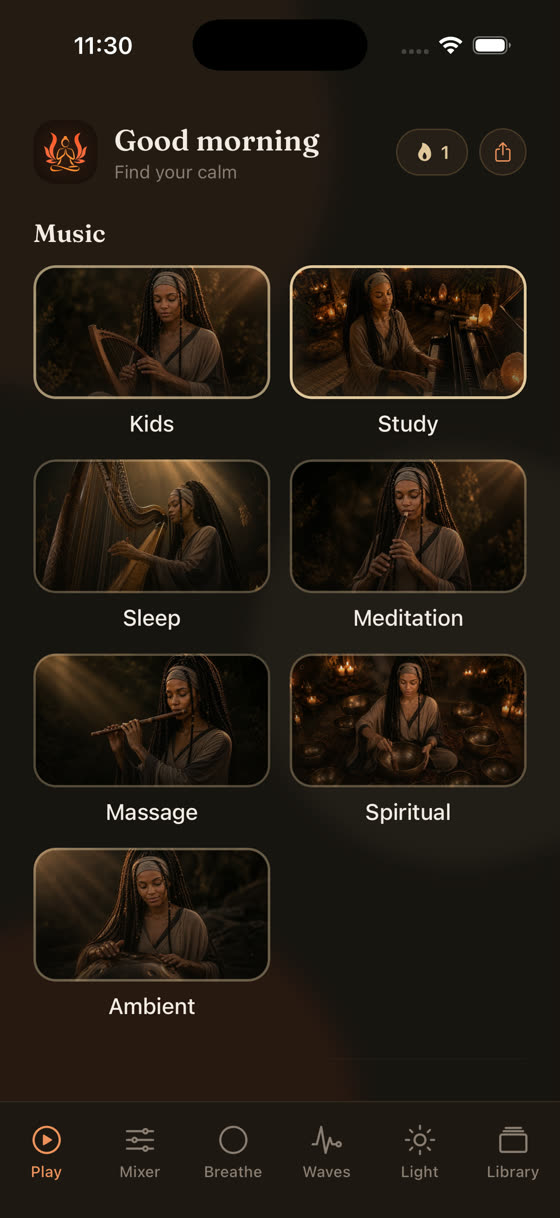
The categories sit separately on the home screen, sleep, focus, meditation, calm, music, so you're not scrolling through focus tracks at midnight looking for something to sleep to. It's a small thing, but decision fatigue at 11pm is real, and a cluttered library works against you exactly when you have the least patience for it.
What to actually try tonight
Don't start with the full session. Open the app, pick one music track and one nature sound, and spend two minutes in the mixer finding a balance that feels right rather than accepting the default. Set a timer for 45 minutes. Dim the light screen if the room isn't already dark. That's it. If you're someone who also uses music to concentrate during the day, the same mixing logic applies differently there, and it's covered in our piece on music for focus and study. For sleep specifically, the whole point is a setup you control rather than one you accept as-is, and you can start building that tonight from myzenzone.app or straight from the download page.
Common questions
Does My Zen Zone work without an internet connection?
Yes. Download any track, session, or nature sound in advance and it plays fully offline, which matters if you fall asleep with your phone in aeroplane mode or your connection is unreliable overnight. Downloaded content stays until you remove it.
Is it better to use nature sounds alone or mixed with music?
There's no single right answer, it depends on your ear. Some people find a single steady sound like rain easiest to ignore consciously while it does its job; others find bare rain gets monotonous. The mixer exists so you can test both without committing to either.
Will brainwave tones actually help me sleep?
The evidence is limited and mixed, so treat them as an experiment rather than a fix. Layer a tone quietly under music, notice if it changes anything for you over a week, and drop it if it doesn't. The music itself has the more consistently reported effect.
How long should I set the sleep timer for?
Match it to how long you usually take to actually fall asleep, not how long you want to listen. Most people land somewhere between 30 and 60 minutes. If you often wake to find the app still playing an hour later, shorten it.
Can I use the same app for focus during the day and sleep at night?
Yes, that's how it's built, with focus, sleep, meditation, and calm as separate categories on the home screen so you're not hunting through the wrong mood at the wrong time of day.