The short answer
Apple's Sleep app isn't a separate download. It's a feature built into the Health app on iPhone, with a companion view on Apple Watch, that logs when you're in bed, estimates how much of that time you spent actually asleep, and runs a Wind Down routine before your set bedtime. It tracks. It does not play anything to help you drift off. That distinction matters more than it sounds, and it's the reason so many people search this exact question after a week of staring at a sleep chart that hasn't changed anything.
If you've got an Apple Watch, the app pulls heart rate and motion data overnight and breaks your night into REM, Core, Deep and Awake stages, shown the next morning as a stacked bar. Without a Watch, iPhone alone can still estimate time asleep using its accelerometer and, on newer models, the microphone picking up breathing patterns — a feature Apple added quietly in iOS 16. It's rougher without the Watch, more of an educated guess than a real read on your sleep stages, and Apple is upfront that it's not a medical device.
How the tracking actually works
Two inputs do the heavy lifting: motion and heart rate. Apple Watch samples your heart rate every few seconds overnight and cross-references it with how still you are. Long stretches of low movement and a steady, lowered heart rate get classified as deep sleep; more movement and rate variability reads as REM or light sleep. It's a reasonable proxy, not a clinical polysomnography setup, and Apple doesn't claim otherwise in the fine print.
On iPhone alone, without a Watch, the detection leans harder on the accelerometer sitting on your nightstand and, where available, ambient sound. It's enough to tell you roughly when you fell asleep and woke up. It's not enough to break out sleep stages with any real confidence, and Apple doesn't try to.
Wind Down and Sleep Focus
The more useful half of the app, in my opinion, isn't the tracking at all. It's Wind Down. You set a bedtime and a wake time, and in the window before bed your Lock Screen dims, notifications quiet down under Sleep Focus, and you get a small set of shortcuts — usually a playlist, a podcast, or a Shortcuts automation you've built yourself. It's a scaffold for a routine, which is genuinely useful, because the biggest lever most people have over their sleep isn't a gadget, it's going to bed at roughly the same time each night.
Sleep Focus is worth using on its own even if you ignore the tracking entirely. Silencing calls and notifications for the last thirty to sixty minutes before bed removes one of the most reliable reasons people lie awake scrolling instead of actually winding down.
What it doesn't do
Here's the gap. Apple's Sleep app has no built-in soundscape, no ambient music, no white noise generator, no mixer. The Wind Down shortcuts can point you at Apple Music or a podcast, but you're leaving the Health app entirely to press play on something, and that something is usually a fixed playlist someone else made, not audio built for the specific job of getting your nervous system to slow down.
This is where most coverage of Apple's Sleep app quietly misleads people. Articles describe the sleep-stage charts in detail and imply the app is a sleep aid. It isn't. It's a mirror. It shows you data about a night that already happened. It has no opinion on tempo, no layered nature sound, no way to fade music out as you drift off. If you're already falling asleep fine and just want the data, it does its one job well. If you're the person who opened it hoping for something to listen to, you'll close it disappointed.
The mistake: mistaking measurement for a method
I hear a version of this from people fairly often: they've been checking their sleep score every morning for a month and their actual nights haven't improved. That's not a bug in the app, it's a mismatch between what it does and what they needed. Tracking can tell you that you're waking up at 3am four nights a week. It can't tell you why, and it definitely won't play something to help you get back down.
Consistency of schedule, which Wind Down does support, is one of the few things with a decent evidence base behind it for sleep quality — going to bed and waking at similar times matters more than almost anything else people try. But schedule and sound are two different problems. A regular bedtime doesn't quiet a racing mind at 11:40pm. That's a sound and pacing problem, and it needs a different tool.
What actually helps at the point of falling asleep
This is the part Apple's app leaves you to solve yourself. Slow tempo music, roughly 60-70 bpm, close to a resting heart rate, gives your body something steady to entrain to instead of the erratic pace of a normal day. Layered underneath that, a nature sound at a low, non-intrusive level fills the gaps that make silence feel loud — rain, low ocean swell, a distant fan hum, whatever masks the sounds of a house settling or a partner turning over.
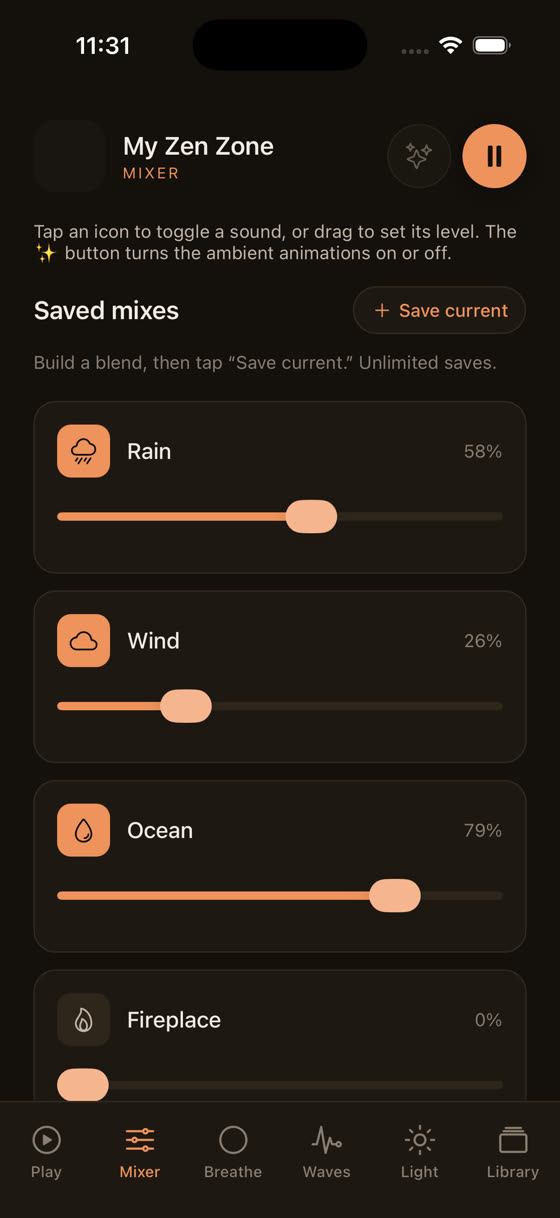
What you actually want control over is the balance between those layers, not just a single fixed track. My Zen Zone's mixer lets you set music, rain, and a low drone each at their own level and save that mix, rather than accepting whatever ratio someone else baked into a playlist. Some nights you want more rain and barely any music. Some nights it's the reverse. We've written more on the tempo and layering choices that actually seem to help people fall asleep in our piece on the best music for sleep.
Pairing the two properly
None of this means ditch Apple's Sleep app. Use Wind Down for the routine and the Focus mode, and let it keep logging your nights if you find that data motivating. Just stop expecting it to be the thing that helps you fall asleep, because that was never its job.
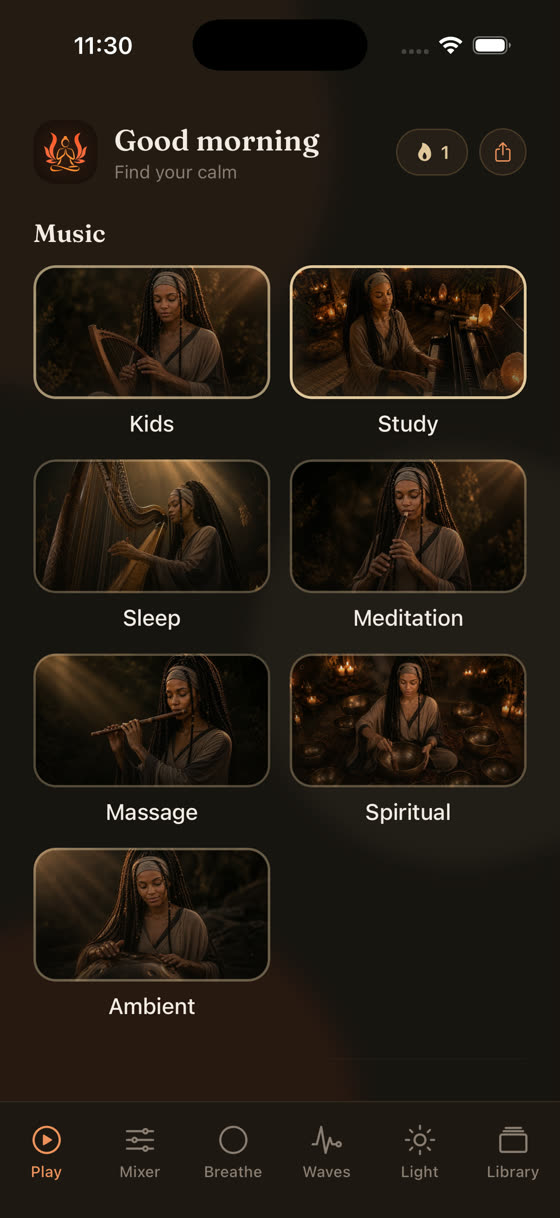
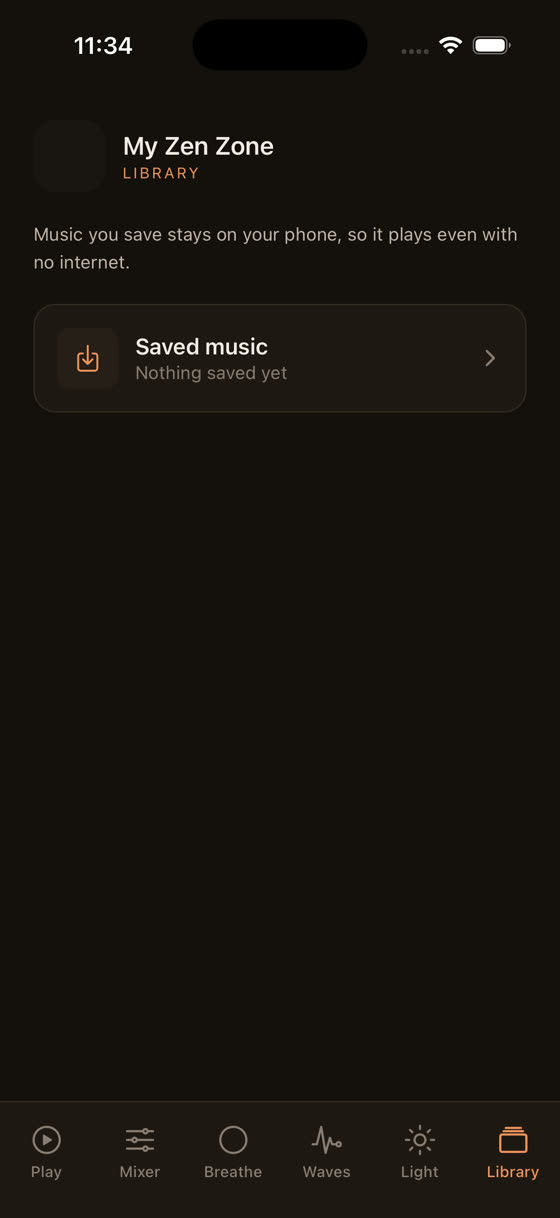
For the actual falling-asleep part, a sleep timer that fades music out over 30 or 60 minutes means you're not left with something playing at 3am, and offline downloads mean the whole thing still works with your phone in Airplane Mode or Do Not Disturb, which pairs cleanly with Sleep Focus rather than fighting it. New tracks get added every two weeks, so if you land on a mix you like, there's usually something new in the same vein within a fortnight rather than the same six looped tracks going stale. You can see the full library, including the Focus and Calm sides for daytime use, at myzenzone.app, or just get the app and try the mixer against tonight's Wind Down window.
A note on the light screen and the last few minutes
One small thing that made a bigger difference than I expected when we built it: a dedicated light screen for the last few minutes before you put the phone down, dimmed and warm rather than the harsh blue-white of a normal display. It's a small detail against a bright phone screen doing the opposite of what Sleep Focus is trying to achieve.
Apple's Sleep app will keep telling you what happened last night. Whether tonight goes differently is still down to what you do in the fifteen minutes before your eyes close, and that's a sound problem more than a data problem.
Common questions
Do I need an Apple Watch for the Sleep app to work?
No. iPhone alone can estimate sleep using motion and, on newer models, sound, but it's rougher and doesn't break out sleep stages reliably. An Apple Watch adds heart rate data, which is what lets the app estimate REM, Core, and Deep sleep with more confidence.
Can Apple's Sleep app play sounds to help me fall asleep?
Not on its own. Wind Down can link out to a playlist, podcast, or Shortcut, but there's no built-in soundscape, mixer, or fading music inside the Health app itself. You'd need a separate app for the audio side of falling asleep.
Is Apple's sleep tracking accurate?
It's a reasonable estimate, not a medical-grade measurement. It uses motion and heart rate as proxies for sleep stages, which works decently for consistency and trends over time, but Apple itself doesn't position it as diagnostic or clinically precise.
What's the difference between Apple's Sleep app and Sleep Focus?
Sleep app is the tracking and Wind Down scheduling inside Health. Sleep Focus is the notification-silencing mode that activates during your Wind Down window and overnight, so calls and alerts stay quiet. They work together but are technically separate features.
Should I stop using Apple's Sleep app if I use My Zen Zone?
No reason to. Use Wind Down and Sleep Focus for routine and quiet, and use a dedicated audio app for the mixer, sleep timer, and offline tracks that actually help you fall asleep. They solve different halves of the same problem.