The Short Answer
Your white noise app almost certainly isn't broken. In the vast majority of cases the sound stops because your phone's operating system decided, on its own, to pause or kill a background audio process to save battery. The second most common cause is a Bluetooth speaker or headphones quietly disconnecting after a period of inactivity. The third is a sleep timer you forgot you'd set weeks ago that's still doing its job perfectly. Very rarely is the app itself actually crashed.
That distinction matters because the fix is different depending on which of these it is, and most troubleshooting guides just say "restart your phone" without explaining why the sound stopped in the first place. Here's the actual mechanism, section by section.
Your Phone Is Managing Battery More Aggressively Than You Think
Android manufacturers, particularly Samsung, Xiaomi, and OnePlus, run their own battery optimisation layers on top of stock Android. These layers actively hunt for apps running in the background and freeze them, even ones playing audio, if the phone decides the app hasn't been "recently used" in the foreground. Your white noise loop can be five minutes into a sound and get silently suspended the moment the screen locks and the system's optimiser sweeps through.
On iPhone the equivalent is Low Power Mode, which throttles background refresh, and occasionally an iOS update changes how background audio permissions are handled, meaning an app that worked fine last month suddenly goes quiet after an update. The fix on both platforms is the same: find your app in Settings, under Battery, and set it to unrestricted or remove it from any "optimise battery usage" list. It takes thirty seconds and solves this for good.
Bluetooth Is a Bigger Culprit Than People Realise
If you fall asleep with wireless earbuds or a Bluetooth speaker, the connection can drop after long idle periods, especially if the source device goes into a deep sleep state itself. Some earbuds also auto-pause when they detect no motion for an extended stretch, assuming you've taken them out. You wake at 3am to silence, check the app, and it looks like it stopped working. It didn't. The Bluetooth link did.
Wired headphones or a speaker plugged into the charging port avoid this entirely, though we understand that's not always comfortable overnight. If you do use Bluetooth, check your device's auto-pause or power-saving settings specifically, not just the phone's general battery settings.
It Might Just Be One Looped File, and Your Brain Notices the Seam
A lot of white noise apps play a single audio file, usually thirty seconds to a few minutes of rain or fan hum, on a hard loop. The problem is that even a perfectly edited loop has a seam, a point where the waveform repeats, and your brain is remarkably good at detecting repetition even while you're asleep. That tiny, repeating pattern-recognition ping can be enough to lift you out of deep sleep, and when you wake and check your phone, the sound is technically still playing. It just doesn't feel like it's working the way it did when you first drifted off.
This is one of the reasons we built our mixer around multiple independent sound layers rather than one looped track. Rain at one level, a low fan hum underneath it, a distant thunder layer barely audible, each on its own loop length so the seams never line up at the same moment twice.
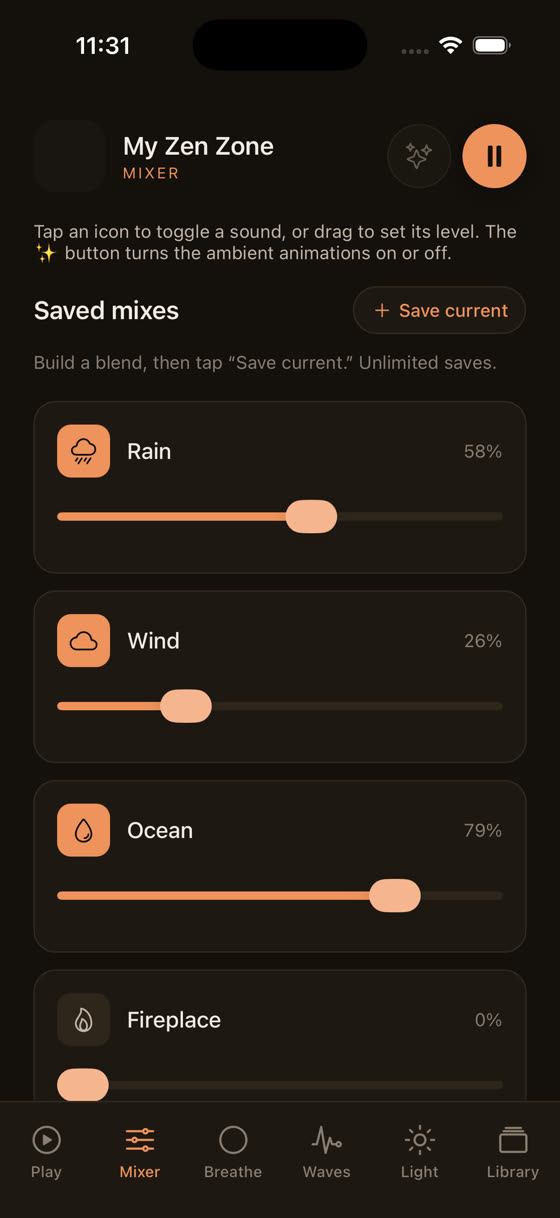
Watching the levels move independently makes the difference obvious in a way description can't quite manage.
You can hear how three layers moving at different loop lengths simply never repeat in a way your ear can lock onto, which is a meaningfully different experience from one file on a fifteen-second loop.
Streaming Drops the Moment Your Wifi Does
If your app streams audio rather than storing it on the device, it needs a steady connection all night. Home routers reboot themselves at odd hours for firmware updates, phones lose signal strength when they're face-down and charging across the room from the router, and a buffering stream just stops rather than gracefully retrying. This looks exactly like the app failing, and technically it is failing, just not for a reason the app itself can fix.
The fix is to download tracks for offline playback before you go to bed rather than relying on a live stream every night. It's a small habit change but it removes an entire category of overnight failure.
The Sleep Timer You Set Three Weeks Ago
Most white noise and sleep apps remember your last timer setting. If you set it to sixty minutes once, months ago, to fall asleep faster, it may still be defaulting to sixty minutes every single night, and you've simply stopped noticing because you're usually asleep before it matters. Then one restless night you're still awake at the ninety-minute mark, the sound cuts out, and it feels like a malfunction.
Check your timer setting before bed the same way you'd check an alarm. If you genuinely want sound for the whole night, look for an option to loop until manually stopped rather than a fixed duration, and let your morning alarm be the thing that actually wakes you.
Outdated Apps, Corrupted Downloads, and Permission Resets
Occasionally the cause really is the app. An update can quietly change how background audio permissions work, and if you dismissed a permission prompt without reading it, playback in the background can get disabled without you realising. Downloaded files can also become corrupted, particularly if the download was interrupted, and a corrupted file will sometimes fail silently rather than throwing an obvious error.
If you've ruled out battery settings, Bluetooth, wifi, and the timer, try deleting the app's downloaded tracks and re-downloading them, and make sure you're on the current version. It's unglamorous but it resolves more of these cases than people expect.
What We Do Differently
A single looped mp3 with no mixer and no offline option is a fragile way to build a sleep tool, which is part of why we built ours the way we did. Every sound in our library sits in a mixer where you set your own level per layer rather than accepting one fixed mix, everything can be downloaded for offline playback so a dropped wifi signal at 3am is a non-issue, and the sleep timer is visible and adjustable every time you open the app rather than buried in a settings menu you forget exists.
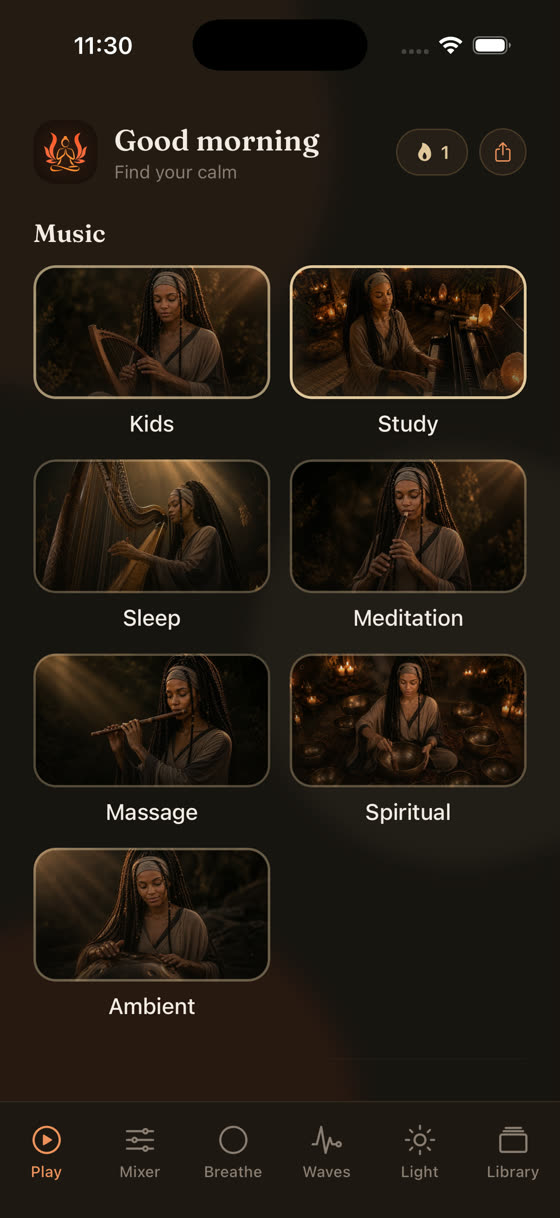
Sleep, focus, meditation, and calm each sit in their own space rather than one long undifferentiated list, which makes it faster to find what actually fits the night you're having.
If you're using guided sessions to fall asleep rather than pure ambient sound, it's worth knowing that most apps stop the music entirely to play a voice track. Ours doesn't.
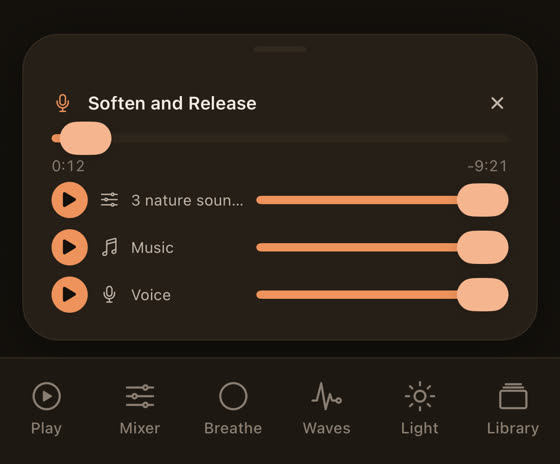
Voice, music, and background nature sound sit as separate layers you can balance yourself, so a guided wind-down doesn't mean losing the ambient bed of sound underneath it.
You can see a session running with each layer independently adjustable in real time, which is a genuinely different listening experience from a single fixed audio file. For more on choosing the right kind of sound for actually falling asleep rather than just relaxing, our piece on best music for sleep goes into tempo and structure in more depth, and if the issue is really about background noise while you work rather than sleep, music for focus and study covers that separately.
When It's Time to Just Switch Apps
If you've checked battery settings, ruled out Bluetooth, downloaded tracks for offline use, confirmed the timer, and it's still failing most nights, the honest answer is that the app may not have been built with background audio reliability as a priority. That's a reasonable thing to walk away from. New music gets added to our library every two weeks, so the sound you fall asleep to doesn't go stale, and a subscription opens the same library in a browser as well as on iPhone and Android, which is useful if you want the exact same mix at your desk during the day. You can see the full range at myzenzone.app before deciding whether it fits what you actually need at night.
Common questions
Why does my white noise stop the second I lock my phone?
Usually the app hasn't been granted proper background audio permission, or your phone's battery optimiser is suspending it on lock. Check your phone's battery settings and make sure the app is excluded from any "optimise" or "sleep" list, and confirm background audio permission was granted, not just declined at first launch.
Does Do Not Disturb mute white noise apps?
Not directly. DND blocks notifications and calls, not media playback. However, iOS Sleep Focus mode can restrict background activity for apps that aren't specifically exempted, so if sound stops overnight, check whether your white noise app is allowed through your Focus mode settings.
Why does the sound cut out specifically while my phone is charging?
Some phones enable extra battery-saving restrictions while charging overnight, ironically pausing background apps to reduce heat or wear. Check for a setting like "optimise charging" or "adaptive charging" and see whether it's suspending background processes, then exclude your sound app from it.
Is it bad for my phone to run a white noise app all night, every night?
No, playing audio overnight isn't harmful to the device. It uses a small amount of battery and, if streaming, some data, which is the main reason to download tracks for offline playback rather than streaming the same file every single night.
Why does looped white noise sometimes feel like it's not working even when it's still playing?
A single looped file has a repeating seam your brain can detect even in light sleep, which can register as a disruption even though sound is technically continuous. Layered mixes with sounds looping at different lengths avoid this because the pattern never repeats in the same way twice.