Yes. Both iPhone and Android have a built-in sleep timer, and you can use it with almost any audio or podcast app, including music apps like this one. On iPhone it lives inside the Clock app under Timer, with a "When Timer Ends" option set to Stop Playing. On Android it's usually under Clock > Timer, or folded into Digital Wellbeing's Bedtime mode depending on your phone. Either way, the phone will cut the audio after a set number of minutes.
That's the mechanical answer. The more useful answer is that the built-in timer is a blunt instrument, and if you've ever been jolted half-awake by sudden silence at 1am, you already know its main flaw. The rest of this is about doing it properly, not just doing it.
How to set it on iPhone
Open the Clock app, tap Timer at the bottom, choose your length, then tap "When Timer Ends" and scroll to the very bottom of the sound list. There you'll find "Stop Playing" instead of an alarm tone. Set that, start your music or audiobook in whichever app you're using, then start the timer. When it runs out, iOS pauses whatever's playing rather than sounding an alarm. It works system-wide, so it doesn't matter which app the audio is coming from.
The catch is timing. If you set 45 minutes and you're asleep in 12, you've got half an hour of silence before the room goes properly quiet, which for some people is fine and for others means waking up disoriented in dead air. There's no fade. One moment there's sound, the next there's nothing.
How to set it on Android
Android's version varies more by manufacturer. Pixel and most stock Android phones have a Timer tab in the Clock app, with an option at the end of setup to set it as a "media timer" that stops playback rather than ringing. Samsung phones route this through Bedtime mode in Digital Wellbeing, which can mute notifications and fade media out at a set time each night rather than a one-off countdown. Some older Android skins hide this setting under Sound > Media volume. It's worth hunting for once; it's not going anywhere once you find it.
Like iPhone, the default behaviour on most of these is a hard stop, not a fade. A few Samsung builds do fade over the last 30 seconds, which is a small but real improvement.
Why a hard stop works against you
Falling asleep isn't a single event, it's a gradual drop in arousal — heart rate slowing, muscle tone easing off, attention narrowing. Steady sound, especially something textured like rain or a drone pad, gives your brain a constant backdrop to settle against. A sudden switch to silence is itself a change the brain has to notice and process, and noticing things is the opposite of what you want at 2am. This is the bit most sleep-timer articles skip entirely: they'll tell you where the toggle is and stop there, as if the toggle is the whole story.
A fade solves this because it mimics what naturally happens as you drift off anyway — sound gradually receding rather than vanishing. It's a small mechanical difference but it matters more than people expect, especially for light sleepers or anyone who's already anxious about staying asleep.
What we built instead
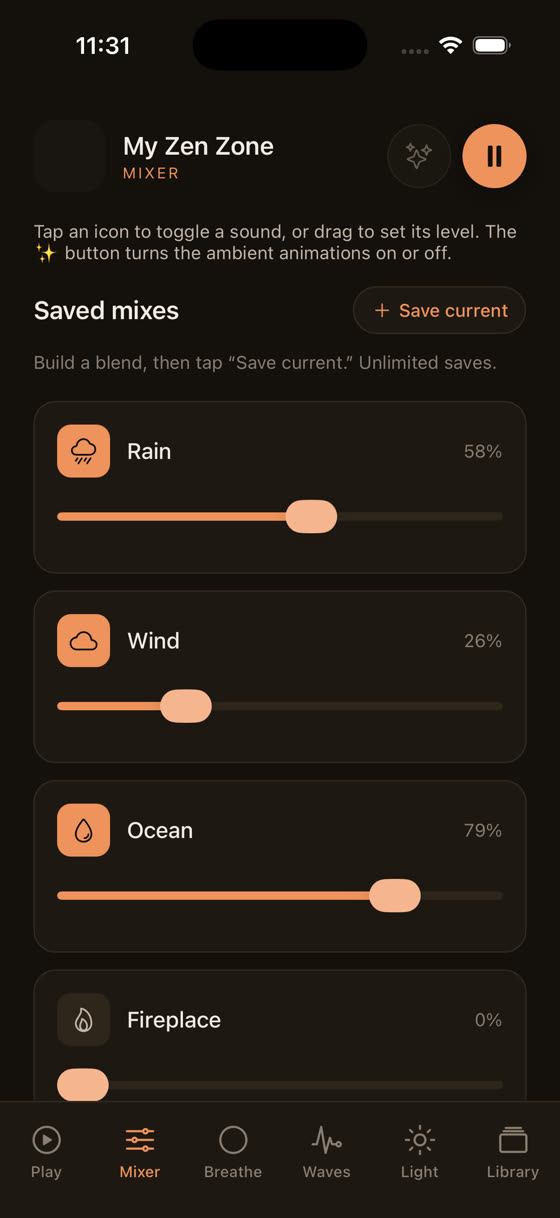
The sleep timer inside My Zen Zone fades the track out over the last couple of minutes rather than cutting it dead. You set a length, same as any phone timer, but the volume eases down rather than stopping like someone pulled a plug. It sits alongside the mixer rather than replacing it, so you're not choosing between a timer and layered sound, you get both.
That matters because most people don't fall asleep to a single sound. Watch the levels move in that clip: rain sitting under a slow piano pad, a low drone barely audible beneath both. That's the actual texture of a lot of our sleep tracks — not one instrument, three or four layered quietly, each adjustable so you can turn down the one that's keeping you alert and leave the rest.
Timer length: shorter than you think
People default to long timers, an hour, ninety minutes, sometimes the whole night. In practice this is rarely needed and sometimes counterproductive. Most adults fall asleep within 10 to 20 minutes once they're actually in bed with the lights off. A 20 to 30 minute timer covers that window comfortably without running sound deep into your sleep cycles, where it has no job left to do. If you tend to wake at 3am and want something to settle you back down, that's a separate, shorter timer at that point, not a single long one set at bedtime.
There's no study we'd point to that nails an exact optimal length, and we wouldn't invent one. What we can say is that in practice, shorter and repeatable beats long and one-off for most people who use this kind of app regularly.
The bigger mistake: using the wrong track
A timer fixes when the sound stops. It does nothing about whether the sound was right to begin with. Fast tempo, major-key melodies, anything with a hook or a vocal line, these keep a chunk of attention engaged even at low volume, because your brain is still half-listening for what comes next. The music that actually helps sleep sits around 50 to 65 bpm, well under resting heart rate, with no strong melodic resolution to wait for. Ambient pads, long sustained tones, unhurried piano with wide space between notes.
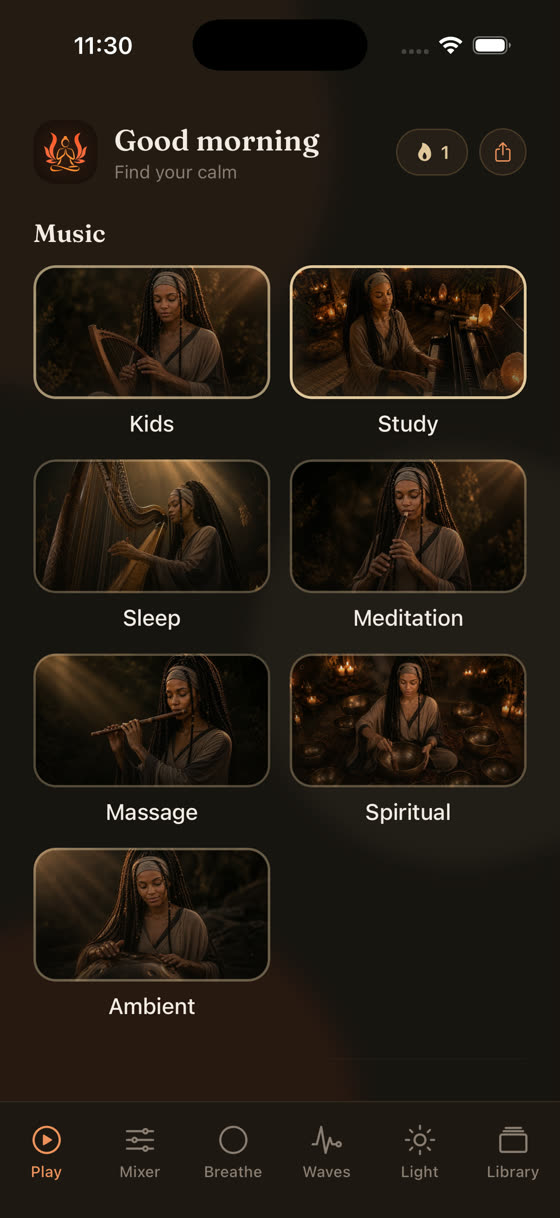
This is also where a library that's actually built for the job earns its keep. Every track in the Sleep section here was written for this specific use, not pulled from a general calm-music catalogue and relabelled. New pieces go in every two weeks, so if you've worn a few tracks thin, there's always something newer in rotation rather than the same twelve songs on a loop.
Building a proper wind-down, not just a timer
A timer at the end of a routine works better than a timer dropped into the middle of scrolling. The physical cues matter as much as the audio ones: dimming the room, putting the phone down, slowing your breathing rate deliberately rather than hoping it slows on its own.
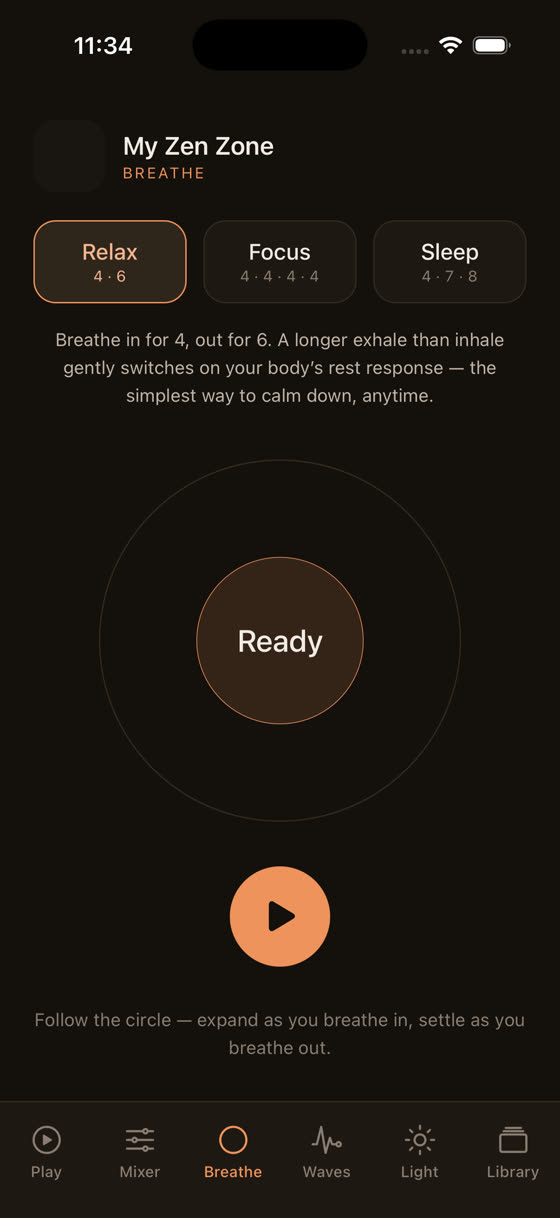
A short breathing pattern before you press play, something like four seconds in and six out, brings your heart rate down before the music even starts doing its part. Pair that with a dimmed light screen on the phone itself rather than full brightness glaring up at you while you set the timer, and you've done more for sleep onset in three minutes than the timer will do in thirty.
What to actually do tonight
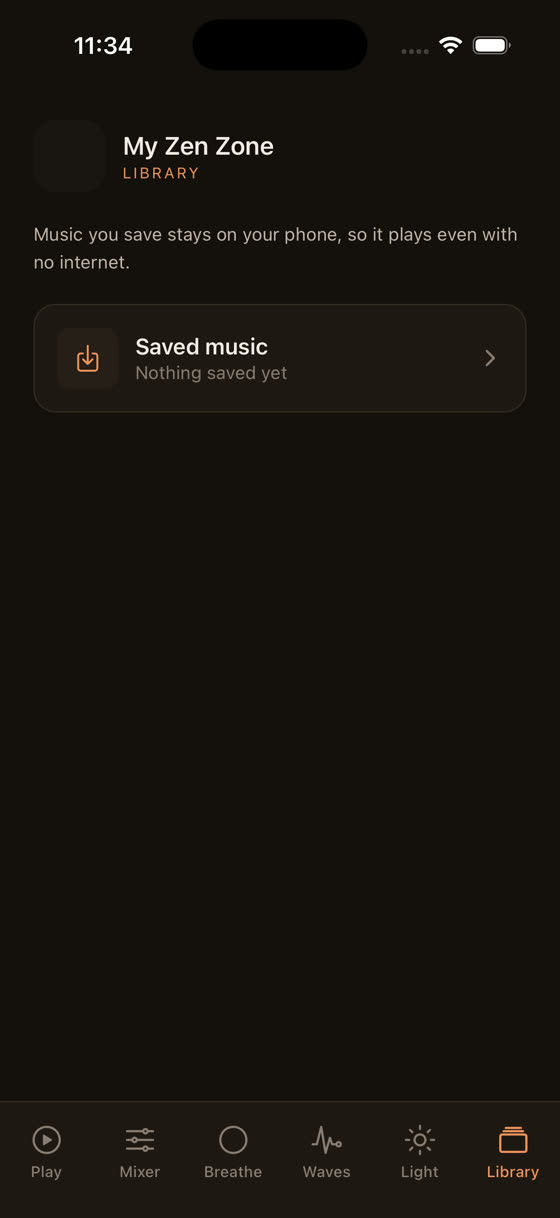
Set a shorter timer than your instinct suggests, 20 to 30 minutes rather than an hour. Pick something with a fade rather than a hard stop if your app offers it. Layer two sounds rather than relying on one, a steady pad under a texture like rain, and keep both low enough that you'd have to strain to follow either one. Download the tracks for offline use before bed so a dropped connection at 1am doesn't do what the hard stop was supposed to do on purpose. If you're the kind of person who reads this far into an article about sleep timers, you probably care about getting the details right. The timer is the smallest of them. The track, the fade, and the ten minutes before you press play matter more.
You can try all of this directly at myzenzone.app/get or have a look at the full library first at myzenzone.app.
Common questions
Does the sleep timer keep playing if I lock my phone?
Yes, on both iOS and Android, audio and timers continue running once the screen is locked, as long as the app has background audio permission, which music and meditation apps request by default. You don't need to keep the screen on or the app open in the foreground for the timer to count down correctly.
Will a sleep timer drain my battery overnight?
Barely. Audio playback is one of the lower-drain background tasks a phone does, and a 20-30 minute timer uses a small fraction of a charge. If you're worried, enable airplane mode after starting playback so background apps and notifications aren't also pulling power through the night.
Can I set a different timer length for naps versus bedtime?
Yes, most timers let you set any length each time rather than locking in one default. A nap timer of 15-20 minutes with a gentle fade works differently to a bedtime one of 25-30 minutes, since naps are shorter by design and you don't want fading sound nudging you into deep sleep you'll struggle to wake from.
Is it better to use white noise or music for a sleep timer?
Neither is objectively better; it depends on what keeps your attention from wandering. White noise masks sudden household sounds well, while slow instrumental music gives the brain something gently structured to settle into. Many people do best layering both at low volume rather than choosing one exclusively.